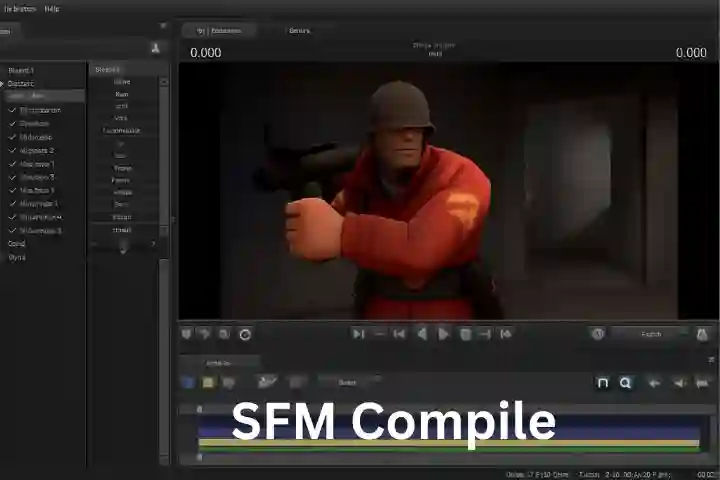
SFM compile refers to the process of rendering and exporting an animation created in Source Filmmaker into a final, viewable format. During this stage, the software calculates every frame of the animation, including character movement, camera motion, lighting, shadows, and effects. Unlike real-time playback, compiling focuses on visual accuracy rather than performance, allowing higher quality results than what is seen in the viewport.
The compile process determines key aspects such as resolution, frame rate, and overall image quality. Animators often choose between exporting a video file or an image sequence for post-production. A well-managed SFM compile ensures smooth motion, consistent lighting, and a polished final animation suitable for sharing or further editing.
Table of Contents
Introduction
In the workflow of Source Filmmaker creators, the term “SFM compile” is widely used to describe the final and most critical phase of animation production. Although the software itself does not always label this step explicitly as “compile,” the concept is deeply rooted in how the Source engine processes data. SFM compile is the process by which an editable animation project—consisting of models, lights, cameras, effects, and sound—is converted into a finished, viewable output such as a video file or an image sequence.
For beginners, SFM compile may seem like a simple export or render button. For experienced animators, however, it is a highly technical stage that determines the final visual quality, smoothness, realism, and professionalism of the animation. Understanding how SFM compile works, why it matters, and how to control it effectively is essential for anyone who wants to produce high-quality Source Filmmaker content.
What “Compile” Means in Source Filmmaker
In Source Filmmaker, compiling refers to the rendering process where the software calculates each frame of animation individually. During editing, SFM displays scenes in real time, often at reduced quality to maintain performance. During compile, however, SFM ignores real-time performance limits and focuses entirely on accuracy and visual fidelity.
At this stage, SFM processes animation curves, bone transformations, lighting calculations, shadow maps, particle systems, depth of field, motion blur, and audio timing. Every frame is rendered as a complete image, either saved directly into a video container or exported as a numbered image sequence. This process is computationally expensive, but it allows creators to achieve results that are far superior to what is visible during normal playback.
Why the Compile Stage Is So Important
SFM compile is important because it is the final gate between a work-in-progress project and a finished product. Mistakes that go unnoticed during editing often become obvious after compilation. Lighting inconsistencies, jittery animation, flickering shadows, and compression artifacts are all issues that frequently appear at this stage.
More importantly, the compile process defines the overall presentation of the animation. Resolution, frame rate, sharpness, smoothness, and visual clarity are all determined here. Two animations with identical timelines can look drastically different depending on how they are compiled. For this reason, experienced SFM creators often spend as much time testing compile settings as they do animating.
Preparing a Project for Compile
Before starting an SFM compile, creators usually perform a series of preparation steps. These steps are crucial for avoiding errors and improving render stability.
Animation curves are finalized and cleaned up to remove unintended micro-movements. Constraints are checked to ensure they behave consistently across frames. Physics-driven elements such as cloth, hair, or jiggle bones are often baked into keyframes so that their motion does not change unpredictably during rendering. Unused models, lights, and hidden elements are removed or disabled to reduce memory usage.
This preparation phase helps ensure that what is compiled matches the creator’s intent and that the render process runs as smoothly as possible.
Output Types in SFM Compile
SFM offers two main types of compile output: video files and image sequences.
Video output is the simplest option. SFM renders frames and encodes them directly into a video container such as AVI. This approach is fast and convenient, but it comes with limitations. Compression is outdated, file sizes can be large, and visual quality is often lower than expected.
Image sequences, on the other hand, are the preferred choice for professional-quality work. In this method, SFM exports each frame as an individual image file, commonly in formats such as TGA or PNG. These frames are later assembled into a video using external editing software. Image sequences preserve maximum quality, prevent corruption from crashes, and allow selective re-rendering of problematic frames without restarting the entire compile.
Resolution and Aspect Ratio
Resolution is one of the most impactful compile settings. It determines how detailed and sharp the final animation appears. Lower resolutions are useful for previews and testing, while higher resolutions are standard for final releases.
Most modern SFM projects are compiled at 1920×1080, which matches the standard Full HD format used by most video platforms. Some cinematic projects use 4K resolutions to achieve greater detail and flexibility in post-production. However, higher resolution significantly increases compile time and memory usage, making optimization essential.
Aspect ratio must also be considered carefully. A mismatch between camera framing and output resolution can lead to unwanted cropping or black bars in the final video.
Frame Rate and Timing
Frame rate controls how many frames are rendered per second of animation. Common frame rates include 24 frames per second for a cinematic feel, 30 frames per second for general video use, and 60 frames per second for smooth action sequences.
The key requirement is consistency. The timeline frame rate, animation keyframes, and compile frame rate must match. If they do not, the final animation may appear sped up, slowed down, or jittery. Proper frame rate management is especially important for lip-sync animation and precise timing.
Anti-Aliasing, Motion Blur, and Visual Quality
Anti-aliasing reduces jagged edges and improves overall image smoothness. Higher anti-aliasing settings produce cleaner images but significantly increase compile times. Most creators balance quality and performance by testing different levels before committing to a full render.
Motion blur simulates the natural blur that occurs when objects move quickly relative to the camera. When used carefully, it enhances realism. When overused, it can obscure details and reduce readability. Some animators choose to disable motion blur during compile and add it later during post-processing, where it can be controlled more precisely.
Lighting quality, shadow softness, and ambient occlusion also play a major role in visual fidelity. These settings are often the most demanding on hardware and are a common cause of long compile times.
Compile Time and Hardware Limitations
Compile time in SFM varies widely depending on scene complexity and settings. Simple scenes may render in seconds per frame, while complex cinematic shots with multiple lights and high-resolution shadows can take several minutes per frame.
Because SFM relies heavily on CPU performance and system memory, long compiles can be unstable. Crashes are not uncommon, especially on lower-end systems. To manage this risk, creators often render animations in segments, compile short test sections, or lower settings temporarily to identify problem areas.
Patience and planning are essential parts of the SFM compile workflow.
Common Problems During SFM Compile
One of the most common issues during compile is lighting flicker. This is often caused by overlapping dynamic lights or shadow precision errors. Simplifying lighting setups usually resolves the problem.
Another frequent issue is animation jitter, which may result from sub-frame keyframes or improperly baked motion. Audio synchronization problems can also occur, especially when exporting image sequences. For this reason, many creators add or adjust audio during external editing rather than relying on SFM’s internal export.
Understanding these issues—and how to fix them—comes largely from experience and experimentation.
Advanced Compile Workflows
Advanced SFM users often treat the compile process as only one step in a larger pipeline. Image sequences are imported into professional editing software, where color grading, visual effects, bloom, depth-of-field adjustments, and film grain are added.
Some creators render multiple passes, such as depth or lighting passes, to gain more control during compositing. External video encoders are commonly used to produce final videos in modern formats with efficient compression.
Although SFM is built on the aging Source Engine, these advanced workflows allow creators to achieve results that far exceed the engine’s original limitations.
The Role of SFM Compile in the Community
SFM compile is a cornerstone of the Source Filmmaker community. Animations created using this workflow dominate machinima culture, particularly in projects associated with Valve’s games. The ability to transform real-time game assets into cinematic productions is what makes SFM unique.
Distributed through Steam and developed by Valve, Source Filmmaker remains relevant largely because creators continue to refine and master its compile process.
Conclusion
SFM compile is not just a technical requirement—it is the defining step that turns animation work into a finished piece of media. Every decision made during compilation affects how an audience experiences the final result, from visual clarity and smoothness to realism and emotional impact.
While Source Filmmaker has limitations, a deep understanding of the compile process allows creators to overcome many of them. By mastering resolution, frame rate, lighting, and export workflows, animators can produce high-quality films that stand alongside content made with far newer tools.
In essence, SFM compile is where creativity meets discipline, and where raw animation is transformed into a polished, shareable work.
Also check : Ekart PCM