Microsoft Store vs Google Play Store Comparison: Which App Marketplace Is Better?
App marketplaces have become an essential part of modern computing, making it easier than ever to discover, download, and manage software. Whether you’re setting up a new Windows PC or an Android smartphone, your first stop is usually the platform’s official app store. For Windows users, that’s the Microsoft Store, while Android users rely on the Google Play Store. Although these platforms serve different operating systems, they share a common goal: providing a secure, convenient, and reliable way to access apps, games, and digital content.
The comparison between the Microsoft Store and Google Play Store has become more relevant as Microsoft continues to improve its app marketplace with better performance, a redesigned interface, and support for a wider range of applications. At the same time, Google Play Store remains the world’s largest mobile app marketplace, offering millions of apps and services for Android devices.
If you’re wondering which platform delivers a better user experience, stronger security, easier app management, or greater value, this guide will help you understand the strengths and weaknesses of each. By the end of this comparison, you’ll know which app store is better suited to your device, your workflow, and your daily needs.
Table of Contents
Microsoft Store vs Google Play Store at a Glance
What Is Microsoft Store?
The Microsoft Store is the official digital marketplace for Windows devices. Built directly into Windows 10 and Windows 11, it serves as a central hub for downloading applications, PC games, utilities, productivity software, entertainment apps, and even some hardware-related content.
Unlike traditional software downloads from websites, applications installed through the Microsoft Store are verified by Microsoft before publication. This review process helps reduce the risk of malware and ensures better compatibility with Windows systems.
The Microsoft Store supports desktops, laptops, tablets, and other Windows-powered devices. Over the past few years, Microsoft has significantly expanded the types of software available, allowing developers to publish traditional Win32 applications alongside modern Windows apps. This has made the store much more useful than it was during its early years.
Another advantage is its deep integration with the Windows ecosystem. Purchased apps are linked to your Microsoft account, making reinstallations simple whenever you switch devices or reinstall Windows.
Purpose
- Secure software distribution
- Centralized app management
- Easy software updates
- Access to PC games and productivity tools
Types of Apps Available
- Office and productivity software
- Photo and video editors
- Streaming services
- Web browsers
- Utilities
- Education apps
- PC games
- Developer tools
What Is Google Play Store?
Google Play Store is Google’s official marketplace for Android smartphones, tablets, Wear OS smartwatches, Android TV devices, and Chromebooks. It is the primary source for installing Android applications and digital content.
Beyond apps, Google Play also provides movies, books, games, and subscription-based services. Because Android powers billions of devices worldwide, Google Play Store hosts one of the largest collections of applications available on any platform.
One of Google Play’s biggest strengths is personalization. It learns from your download history, installed apps, interests, and ratings to recommend applications that match your preferences.
Developers can publish apps to Google Play for users worldwide, making it one of the largest software ecosystems available today.
Purpose
- Android app distribution
- Digital content marketplace
- Secure software downloads
- App updates and subscriptions
App Categories
- Games
- Social media
- Productivity
- Business
- Education
- Finance
- Entertainment
- Health & Fitness
- Photography
- Lifestyle
Services Beyond Apps
Google Play Store goes beyond app downloads by offering:
- Books
- Movies
- TV content (availability varies)
- Subscription management
- Google Play Pass
- Family Library support
User Interface and Navigation
A well-designed interface makes discovering and managing apps much easier. Both Microsoft Store and Google Play Store have undergone major redesigns in recent years, but they focus on different user experiences.
Microsoft Store User Experience
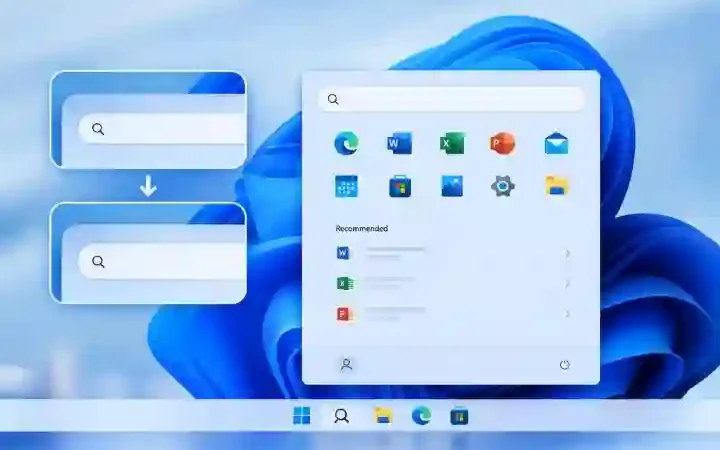
Microsoft has transformed its Store into a cleaner and more modern platform, especially in Windows 11. Large banners highlight featured applications and games, while neatly organized categories help users quickly find software for work, entertainment, creativity, or gaming.
The homepage feels less cluttered than before, making navigation more straightforward even for first-time users.
The search function has also improved considerably. Searching by app name, publisher, or category usually returns relevant results quickly, although it can occasionally miss lesser-known applications.
Another useful feature is the dedicated Library section, where users can view previously installed apps, pending downloads, updates, and purchased software in one place.
Recommendations are based primarily on trending applications, editor picks, and your existing Microsoft account activity, though they aren’t as deeply personalized as Google’s recommendations.
Strengths
- Clean Windows 11 design
- Easy navigation
- Integrated software library
- Simple update management
Google Play Store User Experience
Google Play Store focuses heavily on personalization. As soon as you open the app, you’re presented with recommendations tailored to your interests, previous downloads, installed apps, and browsing behavior.
Navigation is intuitive, with clearly labeled sections for Apps, Games, Books, and Offers. Finding new applications is straightforward thanks to curated collections, editor recommendations, and category filters.
Search remains one of Google Play’s strongest features. Even vague keywords often produce accurate results because Google’s search algorithms understand user intent remarkably well.
App pages are also more informative, displaying screenshots, ratings, reviews, privacy labels, developer information, compatibility details, and update history.
These details help users make informed decisions before downloading.
Strengths
- Highly personalized recommendations
- Excellent search accuracy
- Rich app information
- Easy app discovery
Which Store Is Easier to Use?
Both marketplaces are user-friendly, but they excel in different areas.
The Microsoft Store offers a straightforward experience with a clean interface that’s particularly well suited for desktop users. Everything feels organized, and managing installed software is simple.
Google Play Store, however, provides a more dynamic experience. Its recommendation engine, smarter search capabilities, and extensive personalization make discovering new apps much easier.
If your priority is simplicity, Microsoft Store performs well. If you enjoy exploring new apps and receiving tailored suggestions, Google Play Store has the advantage.
App Library and Availability
The size and quality of an app marketplace directly influence its usefulness.
Number of Available Apps
Google Play Store clearly leads in terms of volume, hosting millions of applications across virtually every category imaginable. Whether you’re looking for productivity tools, games, fitness apps, educational software, or niche utilities, chances are you’ll find multiple options.
Microsoft Store has grown significantly but remains smaller by comparison. While it now includes many popular Windows applications, it still lacks the sheer diversity available on Android.
For everyday Windows users, however, the available selection is often more than sufficient.
Quality of Applications
Quantity doesn’t always equal quality.
Microsoft Store generally maintains higher consistency because applications undergo Microsoft’s review process and many are produced by established software developers.
Google Play Store’s enormous scale inevitably includes a mix of outstanding applications alongside lower-quality or duplicate apps. Google continuously removes harmful or misleading apps, but users should still pay attention to ratings, reviews, and developer reputation before downloading.
Exclusive Apps
Each marketplace offers platform-specific exclusives.
Microsoft Store includes Windows-focused applications, Xbox integration, PC-exclusive software, and certain productivity tools designed specifically for desktop environments.
Google Play Store, meanwhile, provides access to Android-exclusive applications, mobile-first services, and apps that rely on smartphone features such as GPS, cameras, and mobile sensors.
Because each ecosystem serves different devices, many exclusives cannot simply be transferred between platforms.
Popular Apps on Both Platforms
Despite their differences, many major developers support both marketplaces.
Common apps available on both platforms include:
- Spotify
- Netflix
- Adobe Express
- Zoom
- Discord
- VLC Media Player
- Microsoft Office apps
- Dropbox
- Canva
Having access to these popular services ensures users can maintain productivity and entertainment across multiple devices without learning entirely new software ecosystems.
App Installation and Updates
Installing apps should be fast, reliable, and hassle-free—and both platforms aim to make the process as seamless as possible.
Microsoft Store Installation Process
Installing software from the Microsoft Store is straightforward. After selecting an app, users simply click Install, and Windows handles the download and installation automatically. There’s no need to visit external websites or manually configure installation files for most Store apps.
The Microsoft Store also keeps purchased and installed apps linked to your Microsoft account, making it easy to reinstall software when switching devices or resetting your PC.
Google Play Store Installation Process
Google Play Store follows a similarly simple approach. Users tap Install, and the app downloads and installs automatically in the background. Most installations are completed within seconds for smaller apps, while larger games may take longer depending on internet speed and device storage.
Automatic updates can also be enabled, ensuring apps remain secure and up to date without manual intervention.
App Installation and Updates
Automatic Updates
Keeping apps updated is essential for security, bug fixes, and access to new features. Both Microsoft Store and Google Play Store handle updates automatically, but the experience differs slightly.
The Microsoft Store checks for updates in the background and installs them automatically if the feature is enabled. Users can also manually check for updates through the Library section. Since Windows applications are generally larger than mobile apps, updates may occasionally take longer to download, but the process is largely seamless.
The Google Play Store also supports automatic updates over Wi-Fi or mobile data, depending on user preferences. Updates typically happen in the background with minimal interruption, ensuring apps remain current without requiring user interaction. Android users can also choose to update individual apps manually if they prefer greater control.
Update Management
Both app stores provide centralized update management, allowing users to see pending downloads, installed apps, and available updates.
Microsoft Store organizes updates within the Library tab, while Google Play Store places update management under Manage Apps & Device. Both systems are easy to use, though Google Play provides more detailed information about app versions, storage usage, and update history.
Security and Privacy
Security is one of the most important aspects of any app marketplace. Users expect official stores to protect them from malicious software while safeguarding their personal information.
Microsoft Store Security Features
Microsoft reviews apps before they appear in the Store, reducing the likelihood of malware reaching users. Applications are scanned for malicious behavior and must comply with Microsoft’s policies before publication.
The Microsoft Store also works alongside Microsoft Defender, adding another layer of protection against harmful software. Apps downloaded from the Store are generally considered safer than software obtained from unknown websites.
Google Play Protect
Google uses Play Protect, an automated security system that continuously scans apps before and after installation. Even apps already installed on a device are regularly checked for suspicious activity.
Play Protect also warns users if an application behaves unexpectedly or violates Android security standards, helping reduce the risk of malicious software.
Malware Detection
Both platforms invest heavily in malware detection, but they face different challenges.
Microsoft Store has a smaller and more controlled ecosystem, making it easier to monitor submitted applications.
Google Play Store, with millions of apps and thousands of daily submissions, has a much larger security workload. While Google removes harmful apps quickly, the scale of the platform means some malicious apps occasionally slip through before being detected.
User Data Privacy
Privacy has become increasingly important for app users.
Microsoft provides permission controls through Windows settings, allowing users to manage access to cameras, microphones, location services, and other sensitive features.
Google Play Store displays Data Safety information on supported apps, helping users understand how developers collect, use, and share personal data before downloading.
Both companies continue improving transparency, although users should always review app permissions carefully.
Performance and Reliability
Download Speed
Download performance depends primarily on internet speed, but both stores deliver reliable download experiences.
Microsoft Store performs well for large desktop applications and games, while Google Play Store efficiently handles both small apps and multi-gigabyte mobile games.
Store Stability
Microsoft has significantly improved Store stability in recent Windows updates. Earlier versions occasionally experienced crashes and slow loading, but today’s Store feels much faster and more reliable.
Google Play Store is generally stable across Android devices, although performance may vary depending on phone hardware and manufacturer software customization.
Installation Reliability
Both marketplaces handle installations automatically, reducing the likelihood of user errors.
Microsoft Store simplifies software installation by managing dependencies internally, while Google Play handles permissions and compatibility checks before installation begins.
Error Handling
Both platforms provide troubleshooting options if downloads fail.
Microsoft Store offers reset tools and troubleshooting utilities within Windows settings, while Google Play Store provides cache clearing, storage management, and Play Services diagnostics to resolve common installation issues.
Gaming Experience
PC Games on Microsoft Store
Microsoft Store has evolved into a capable destination for PC gaming. It offers access to Xbox Play Anywhere titles, PC Game Pass downloads, and many modern Windows games.
Integration with the Xbox ecosystem allows users to synchronize achievements, cloud saves, and multiplayer features across compatible devices.
Mobile Games on Google Play
Google Play Store remains the world’s largest marketplace for mobile gaming. From casual puzzle games to graphically demanding multiplayer titles, Android users have access to an enormous library spanning virtually every genre.
Frequent updates and active developer support ensure popular games continue receiving new content and improvements.
Game Updates
Both platforms automatically update installed games, ensuring players receive bug fixes, security patches, and new content without manual downloads.
Cloud Gaming Support
Microsoft supports cloud gaming through Xbox Cloud Gaming for eligible users, allowing compatible titles to be streamed without requiring high-end hardware.
Google Play Store itself doesn’t offer a dedicated cloud gaming platform but supports cloud gaming applications available through Android.
Developer Experience
Publishing Apps
Both Microsoft and Google provide developer portals for publishing applications.
Microsoft’s submission process focuses on Windows compatibility and quality standards, while Google Play Console allows Android developers to distribute apps globally with extensive testing and analytics tools.
Revenue Models
Developers on both platforms can generate revenue through:
- Paid apps
- In-app purchases
- Subscriptions
- Advertising
- Premium upgrades
Both marketplaces continue refining their revenue-sharing policies to remain competitive.
Developer Tools
Microsoft offers Visual Studio integration, Windows App SDK support, and developer analytics for Windows applications.
Google provides Android Studio, Firebase integration, Play Console analytics, and testing tools to simplify Android development.
Store Policies
Each marketplace maintains developer guidelines covering security, privacy, advertising, and content standards.
Applications violating these policies risk removal or suspension.
Pricing and Payment Options
Supported Payment Methods
Both stores support multiple payment methods, including:
- Credit cards
- Debit cards
- Gift cards
- Digital wallets
- Regional payment methods
Availability varies depending on country and region.
In-App Purchases
Developers can sell additional content through in-app purchases on both platforms. These include premium features, virtual currency, subscriptions, and downloadable content.
Refund Policies
Both Microsoft and Google provide refund options under certain conditions, although eligibility depends on purchase type and regional policies.
Subscription Management
Users can easily manage recurring subscriptions directly from their account settings, making cancellations and renewals straightforward.
AI Features and Recommendations
Microsoft Store Personalized Recommendations
Microsoft recommends apps based on trending software, editor selections, previous downloads, and Windows usage patterns. While useful, these recommendations remain relatively conservative.
Google Play AI Recommendations
Google uses advanced machine learning to recommend apps based on user behavior, installed applications, ratings, interests, and search history.
As a result, discovering relevant new apps often feels more personalized.
App Discovery Experience
When it comes to discovering new applications, Google Play Store has a noticeable advantage due to its recommendation algorithms, curated collections, and intelligent search capabilities.
Microsoft Store has improved considerably but still focuses more on organization than personalization.
Pros and Cons
Microsoft Store Pros
- Excellent integration with Windows
- Trusted source for software downloads
- Growing collection of PC games
- Simple software installation and management
Microsoft Store Cons
- Smaller app library than Google Play
- Fewer exclusive applications
- Search results can occasionally miss relevant apps
- Some popular software is still unavailable
Google Play Store Pros
- Massive app ecosystem
- Outstanding personalized recommendations
- Frequent developer updates
- Strong Android integration
Google Play Store Cons
- Greater number of low-quality apps
- Larger platform creates occasional security risks
- Compatibility varies between Android devices
- Sponsored recommendations may appear in search results
Microsoft Store vs Google Play Store: Side-by-Side Comparison
| Feature | Microsoft Store | Google Play Store |
| Platform | Windows | Android |
| App Library | Medium | Very Large |
| Games | PC Games | Mobile Games |
| Security | High | High (Play Protect) |
| Updates | Automatic | Automatic |
| Developer Base | Smaller | Larger |
| Ease of Use | Excellent | Excellent |
| Payment Methods | Multiple | Multiple |
Which App Store Should You Choose?
Best for Windows Users
If you use a Windows PC daily, the Microsoft Store is the natural choice. It integrates directly with Windows, simplifies software management, and offers a secure environment for downloading trusted applications.
Best for Android Users
Google Play Store is the obvious option for Android devices. Its extensive app library, personalized recommendations, and seamless Android integration make it the most practical choice.
Best for Gamers
PC gamers benefit from Microsoft Store’s integration with Xbox services and PC Game Pass, while mobile gamers will find a much larger selection on Google Play Store.
Best for Productivity Apps
Microsoft Store excels with desktop productivity software, while Google Play Store offers outstanding mobile productivity applications. The better choice depends on whether you primarily work on a PC or a smartphone.
Best Overall
There isn’t a universal winner because each marketplace is designed for a different operating system.
Microsoft Store performs exceptionally well for Windows users seeking secure software, productivity tools, and PC gaming.
Google Play Store remains unmatched for Android thanks to its enormous app ecosystem, intelligent recommendations, and continuous developer support.
Final Verdict
The Microsoft Store vs Google Play Store comparison highlights two mature app marketplaces built for different audiences. Microsoft has transformed its Store into a reliable destination for Windows applications, offering improved performance, stronger security, and better software management than in previous years.
Google Play Store continues to dominate the mobile app space with its vast selection, AI-powered recommendations, and seamless Android experience. Its scale and personalization make discovering new apps easier than on most competing platforms.
If you’re a Windows user looking for trusted software and PC games, Microsoft Store is an excellent choice. If you own an Android device, Google Play Store remains the gold standard for mobile apps and games.
Ultimately, the best app marketplace isn’t determined by the number of apps alone—it’s the one that best complements the ecosystem you use every day.
FAQs
What is the biggest difference between Microsoft Store and Google Play Store?
The biggest difference is their target platforms. Microsoft Store is designed for Windows devices, while Google Play Store is built for Android smartphones, tablets, and other Android-powered devices.
Is Microsoft Store safer than Google Play Store?
Both marketplaces provide strong security. Microsoft Store benefits from a smaller, curated ecosystem, while Google Play Store uses Play Protect to continuously scan apps for malicious behavior.
Which app store has more apps?
Google Play Store has a significantly larger app library, offering millions of applications across virtually every category.
Can I use Google Play Store on Windows?
Not natively. Google Play Store is designed for Android devices, though some Android applications can run on Windows through supported compatibility solutions.
Which app store is better for gaming?
Microsoft Store is better for PC gaming and Xbox integration, while Google Play Store offers a much larger collection of mobile games.
Are apps on Microsoft Store free?
Many apps are free, but the Microsoft Store also offers paid applications, games, subscriptions, and in-app purchases.
Does Microsoft Store automatically update apps?
Yes. Microsoft Store supports automatic updates, ensuring installed applications stay current without requiring manual downloads.
Which app store offers better security?
Both provide robust security measures. Microsoft Store emphasizes curated app verification, while Google Play Store combines automated scanning with Play Protect to identify and remove harmful applications.