Xbox Series X 1TB Digital Edition First Impressions: Is Microsoft’s All-Digital Console Worth It?
The Xbox Series X 1TB Digital Edition marks Microsoft’s latest step toward an all-digital gaming future. While the standard Xbox Series X has long been praised for its powerful hardware and disc drive flexibility, this new version removes the optical drive entirely while keeping the same next-generation performance that players have come to expect. For gamers who primarily purchase titles through the Microsoft Store or rely on Xbox Game Pass, this console promises the flagship Xbox experience without the need for physical discs.
These Xbox Series X 1TB Digital Edition first impressions are based on the initial unboxing, setup process, design evaluation, and early gameplay experience. Rather than serving as a long-term review, this hands-on look focuses on what new buyers can expect during their first few hours with the console.
At first glance, Microsoft hasn’t attempted to reinvent the Xbox Series X formula. Instead, the company has refined it for an audience that has already embraced digital gaming. The removal of the disc drive creates a cleaner-looking console while maintaining the same custom AMD processor, fast NVMe SSD, hardware-accelerated ray tracing, Quick Resume support, and 4K gaming capabilities.
The biggest question, however, isn’t whether the hardware is capable—it already proved itself with the original Series X. The real question is whether removing the Blu-ray drive makes sense for today’s gamers. If your library consists almost entirely of digital purchases and Game Pass titles, the answer may be easier than you think.
In this detailed first impressions article, we’ll explore every aspect of the Xbox Series X 1TB Digital Edition, from its packaging and design to its setup experience, performance, and who should seriously consider making the switch.
Table of Contents
Xbox Series X 1TB Digital Edition at a Glance
Key Specifications
Under the hood, the Xbox Series X 1TB Digital Edition is nearly identical to the original Xbox Series X. Microsoft hasn’t reduced performance simply because the disc drive has been removed.
Some of the key hardware specifications include:
- Custom AMD Zen 2 CPU with 8 cores
- AMD RDNA 2 graphics architecture
- Up to 12 teraflops of GPU performance
- 16GB GDDR6 memory
- 1TB custom NVMe SSD
- Support for up to 4K gaming at 120 FPS (compatible games and displays)
- Hardware-accelerated ray tracing
- Variable Refresh Rate (VRR)
- Quick Resume
- HDMI 2.1 support
This means players receive the exact same gaming performance as the disc-based Xbox Series X. Whether you’re playing graphically demanding AAA games or competitive multiplayer titles, there is no compromise in visual quality or frame rates.
For gamers concerned that “Digital Edition” might mean lower-end hardware, that’s simply not the case. Microsoft has only removed the optical drive while keeping everything else intact.
Design Overview
One of the first things you’ll notice is the striking Robot White finish. Previous Xbox Series X models featured the familiar matte black tower design, while this Digital Edition adopts a cleaner and brighter appearance.
The rectangular tower remains unchanged in dimensions, making it instantly recognizable as an Xbox Series X. The ventilation system, cooling layout, and overall footprint stay exactly the same.
Without a disc slot on the front, the console appears more minimalistic. The clean front panel gives it a modern aesthetic that blends well into living rooms, gaming desks, and entertainment centers.
Despite the color change, Microsoft hasn’t sacrificed durability. The build quality feels just as premium as previous Series X consoles.
Storage Capacity
Storage has become increasingly important in modern gaming. Many AAA releases now exceed 100GB, making internal storage one of the biggest purchasing considerations.
The Xbox Series X 1TB Digital Edition includes a 1TB custom NVMe SSD.
While the advertised capacity is 1TB, users should expect approximately 800GB of usable storage after the operating system reserves its required space.
Depending on the games installed, this typically allows:
- Around 10–15 average-sized games
- 6–8 very large AAA titles
- Dozens of indie games
Fortunately, Microsoft continues to support Storage Expansion Cards for players who need additional high-speed storage without sacrificing Quick Resume or optimized game performance.
Digital-Only Approach
The defining feature of this console is the absence of a Blu-ray disc drive.
Everything—from purchasing games to installing them—takes place digitally.
This means players will:
- Buy games through the Microsoft Store
- Download digital purchases
- Redeem digital codes
- Install Game Pass titles
- Receive updates automatically
For many gamers, this aligns perfectly with current gaming habits.
However, those with large collections of physical Xbox games won’t be able to use their existing discs on this console.
It’s a decision that simplifies the hardware while encouraging Microsoft’s growing digital ecosystem.
Unboxing Experience
What’s Inside the Box?
Microsoft keeps the unboxing experience straightforward and premium.
Opening the box reveals the console carefully protected with recyclable packaging materials that minimize movement during shipping.
The contents include:
- Xbox Series X 1TB Digital Edition console
- Xbox Wireless Controller
- HDMI 2.1 cable
- Power cable
- Two AA batteries
- Quick Start Guide
- Warranty and safety documentation
Everything is neatly arranged, making setup feel organized rather than overwhelming.
Unlike some electronics with excessive packaging, Microsoft’s presentation feels practical while still giving buyers the excitement of opening a premium product.
First Look at the Console
Removing the console from the packaging immediately highlights the new white finish.
The matte coating gives the system a sophisticated appearance while resisting fingerprints better than glossy plastics.
The missing disc drive is surprisingly noticeable.
Without the slot, the front panel looks cleaner, creating a more symmetrical design.
The Xbox logo power button remains centered near the top, while the pairing button and front USB port are positioned just below.
Although it’s fundamentally the same console, the white color combined with the simplified front panel gives it an identity of its own.
Included Accessories
Microsoft includes the familiar Xbox Wireless Controller finished in matching Robot White.
Anyone who has previously used an Xbox controller will feel instantly comfortable.
The controller features:
- Comfortable ergonomic grip
- Hybrid D-pad
- Textured triggers
- Share button
- Bluetooth support
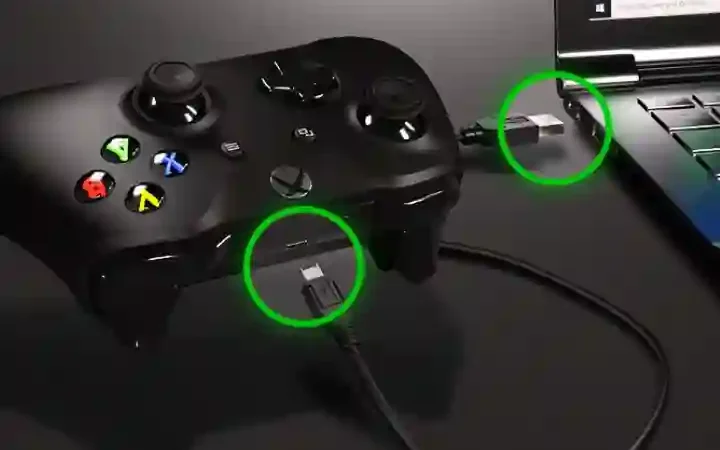
- USB-C connectivity
The bundled HDMI 2.1 cable ensures compatibility with modern televisions capable of delivering 4K resolution at high refresh rates.
Although some may have hoped for a rechargeable battery pack, Microsoft continues shipping AA batteries with the standard controller.
Design and Build Quality
Exterior Design
Microsoft hasn’t attempted a radical redesign.
Instead, it sticks with the successful tower-shaped design that prioritizes airflow and cooling efficiency.
Whether positioned vertically or horizontally, the console maintains a clean, understated appearance.
The absence of flashy RGB lighting helps it blend naturally into almost any entertainment setup.
The overall construction feels incredibly solid, with no creaking plastics or loose panels.
It continues to feel like a premium flagship console.
White Finish and Aesthetics
The Robot White finish gives the console an entirely different personality compared to the classic black Series X.
Rather than appearing aggressive or industrial, it feels modern and minimalist.
It pairs especially well with white gaming accessories, desks, and contemporary home décor.
The matte texture also helps reduce fingerprints and smudges, making maintenance relatively easy.
While lighter colors naturally show dust differently than black surfaces, routine cleaning keeps the console looking fresh.
Port Selection
Despite removing the optical drive, Microsoft hasn’t changed the port layout.
Rear ports include:
- HDMI 2.1
- Two USB-A ports
- Ethernet port
- Storage Expansion Slot
- Power connector
The front panel retains:
- USB-A port
- Pairing button
This familiar arrangement ensures compatibility with existing Xbox accessories, external storage drives, and gaming peripherals.
For most players, the available ports will be more than sufficient for controllers, headsets, external hard drives, and charging accessories.
Xbox Series X 1TB Digital Edition First Impressions
Initial Setup
The initial setup process remains one of the smoothest among modern gaming consoles.
After connecting power and HDMI cables, the console boots quickly and guides users through language selection, internet connection, account login, and software updates.
Using the Xbox mobile app can significantly speed up setup by transferring account information and preferences automatically.
Within minutes, the dashboard is ready, allowing players to begin downloading games almost immediately.
The process feels polished, intuitive, and beginner-friendly, even for those new to the Xbox ecosystem.
User Interface
Microsoft’s Xbox dashboard has matured considerably over the years.
Navigation feels responsive, and menus load almost instantly thanks to the fast SSD.
Customization options allow users to pin favorite games, organize groups, personalize backgrounds, and quickly access recently played titles.
Integration with Xbox Game Pass is seamless, making it easy to discover new games or resume downloads.
Search functionality is also fast, helping users locate games, apps, settings, or friends without digging through multiple menus.
The interface doesn’t overwhelm new users while still offering enough flexibility for experienced players.
Download and Installation Experience
Since this is a digital-only console, download performance becomes especially important.
Assuming a stable high-speed internet connection, game downloads begin immediately after purchase or Game Pass selection.
Installation runs quietly in the background, allowing users to browse the dashboard or configure settings simultaneously.
Updates are handled automatically, reducing manual maintenance.
For players transitioning from physical discs, the experience feels noticeably different. Instead of inserting a disc and installing data, every game must be downloaded from Microsoft’s servers. This requires patience for large titles, but it also means your entire digital library is available from anywhere after signing into your account.